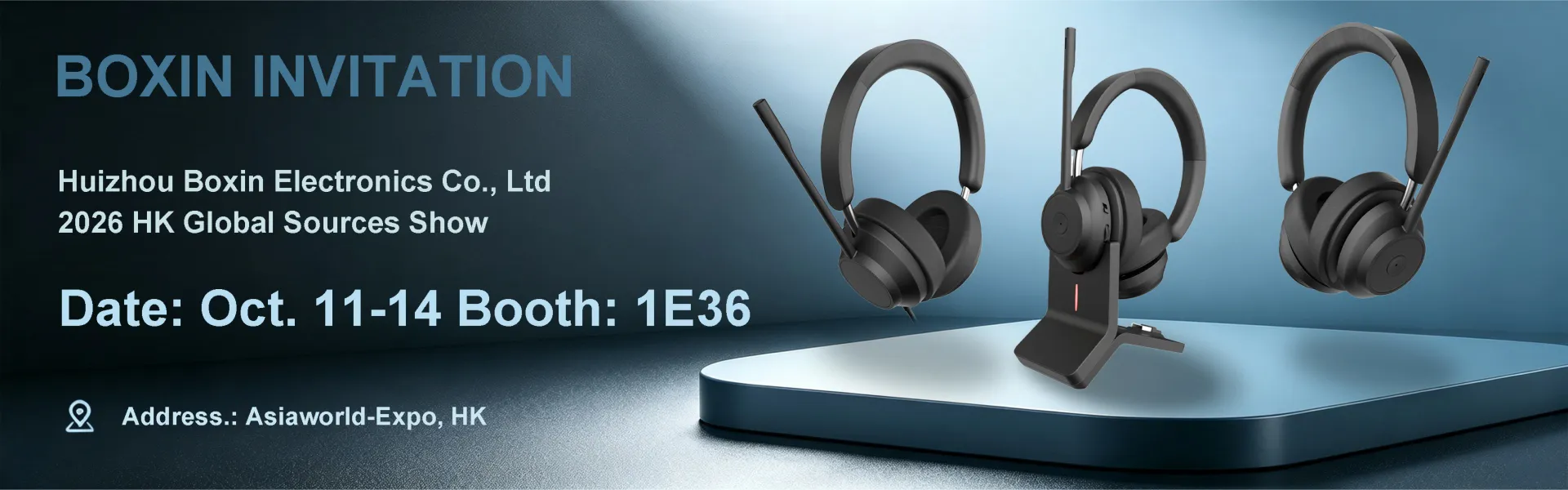
Your Professional Wireless Office Headset Supplier


Wireless office headsets are professional communication devices designed for modern office and remote collaboration scenarios. They connect to computers, mobile phones, and other devices via Bluetooth or a wireless dongle, allowing users to work freely while maintaining stable call quality.

Compared to ordinary consumer-grade Bluetooth headsets, wireless Bluetooth headsets offer more stable connections, clearer call quality, and comfortable wear for extended periods. Suitable for video conferencing, high-frequency communication, and mixed-use office scenarios.

As a professional manufacturer with over 30 years of experience in the UC headset field, Boxin provides a one-stop OEM/ODM solution for wireless Bluetooth office headsets. Our services include: 2D/3D design, mold making, injection molding, PCB layout, SMT assembly, assembly, reliability testing, pilot production, mass production, quality control inspection, shipping, and 365-day after-sales service.


First 123 Last
 
Why choose Boxin as the supplier of wireless office headsets?

Accept ODM/OEM Service

We continuously enhance our R&D capabilities, improve product technology and quality, and provide comprehensive ODM/OEM services.

Professional R&D Team

A seasoned team of acoustic, structural, electronic, and software engineers focused on audio product development.

Advanced R&D Equipment

Equipped with state-of-the-art facilities including acoustic labs, EMC testing rooms, 3D printing, and reliability testing equipment.


One-stop Solution

We integrate product planning and design, mold development, injection molding, assembly, and testing. This ensures seamless coordination and consistent quality across the entire process, from design and prototyping to mass production.


Why Choose Wireless Office Headsets for Businesses?


1. Freedom from Cables, Enhanced Work Efficiency

The wireless design allows users freedom of movement during calls, making it ideal for office scenarios requiring frequent communication and multitasking.

2. Optimized for Voice Communication

Designed with a focus on call clarity and stability, this wireless office headset features AI-powered large-model noise reduction technology. It accurately identifies human voices and filters ambient noise, achieving a noise reduction depth of over -25dB, suitable for extended voice conversations.

3. Long Battery Life, Ideal for Business Travel

It has a built-in 300mAh battery that fully charges in just 2 hours and provides up to 35 hours of continuous use (music mode), easily meeting your needs for a full workweek.

4. High Compatibility, Plug and Play

Compatible with multiple unified communication platforms, such as Microsoft Teams, Genesys, Mitel, Avaya, Bicom Systems, and Cisco Jabber, providing your team with seamless connectivity and easy collaboration around the clock. Plug and play with the included USB adapter.

5. Ergonomic Design

 Every detail has been optimized with a lightweight design, soft protein leather earcups, and an adjustable headband, making it almost unnoticeable – allowing you to focus on your work.


Specifications


Bluetooth version

V5.3

Battery capacity

350mAh

Battery capacity of charging chamber

5V---350mAh

Horn diameter

$ 40mm

Impedance

32 Ω

Frequency response

20~20kHZ

Microphone

Sensitivity

-35dB+2dB

Charging port type

USB-C


Types of Wireless Office Headset
 

The wireless office headsets produced by our company mainly include the following types:

Wireless Bluetooth Headsets

Bluetooth Dual Ear Wireless Office Headset A professional-grade wireless audio solution featuring Bluetooth 5.3 for seamless connectivity to smartphones, tablets, and PCs. Dual ENC microphones enhance voice clarity, while memory foam ear cushions offer comfort for extended use.

Bluetooth Dongle Headset

The headset is a type of headset device that combines wireless audio transmission with data encryption security.Bluetooth Headset with Dongle it is widely used in scenarios where audio transmission security is critical, such as classified government meetings, judicial interrogations or confidential conferences, and corporate remote meetings.


Advantages of Wireless Office Headset
 

Increased Mobility in the Office Environment
Wireless headsets offer freedom and flexibility in modern offices by allowing employees to move seamlessly around their workspace, promoting creativity and collaboration. Professionals can engage in tasks like brainstorming or attending meetings without being tied to a desk, fostering efficiency and a sense of liberation.

Improved Productivity with Hands-free Communication
Hands-free communication with wireless headsets boosts productivity. Employees can move around during calls, accessing documents or collaborating with colleagues without being tethered to a desk. This dynamic workflow minimizes physical strain and promotes better posture, enhancing task completion and overall well-being.

Reduction of Desk Clutter and Tangled Cables
Say goodbye to cluttered desks and tangled cables with wireless headsets. Enjoy a clean and organized workspace that promotes focus and productivity. Wireless technology allows freedom of movement without cable restrictions, creating a pleasant work atmosphere and enhancing efficiency.

Comfort and Ergonomic Design for Prolonged Use
Designed for comfort, wireless headsets feature soft, cushioned ear pads and adjustable headbands for extended wear. The ergonomic design minimizes discomfort during prolonged use, promoting productivity and focus on tasks.

蓝牙双耳无线办公耳机


蓝牙双耳无线办公耳机出厂

Clearer Audio Quality for Important Conversations
Wireless headsets deliver superior audio quality with noise-cancellation features, ensuring clear and effective communication during crucial conversations. This enhanced clarity fosters engagement and collaboration, improving overall communication experiences.

Noise Cancellation Features for Distraction-free Calls
Noise cancellation technology in wireless headsets blocks out background noises, creating a tranquil environment for focused communication. This feature reduces stress and enhances productivity during calls, fostering positive interactions in the workplace.

Long-lasting Battery Life for Extended Use
Enjoy uninterrupted connectivity with long-lasting battery life in wireless headsets. Employees can stay connected throughout the workday without worrying about frequent recharging, ensuring reliability and readiness for professional challenges.

Compatibility with Various Communication Platforms
Wireless headsets support multiple communication platforms, facilitating seamless connectivity across different technologies. This versatility streamlines operations and promotes efficiency, enabling productive discussions and collaborations in diverse office environments.


Steps to Connect Wireless Office Headset to Office Phone


1. Identify the headset port or handset port on your office phone.
2. For wired headsets, plug directly into the headset port or use an adapter for the handset port.
3. For wireless headsets, connect the charging base to the appropriate port on the phone.
4. Ensure your wireless headset is paired correctly with its charging base and the phone.
5. For Bluetooth headsets, enable Bluetooth on your phone and follow pairing instructions.
6. If using an adapter, confirm that it is properly connected for optimal functionality.


Precautions for Using Wireless Office Headsets
 

Avoid moisture
The outer coating of your headsets can degrade due to moisture from changing weather conditions. Sweat, on the other hand, causes the earpads dirty. If your headsets become moist, immediately rub alcohol on them and wait a few hours for them to dry.


Store with care
When not in use, keep your wireless Headsets In good condition. Keep it gently in a protective case or bag to avoid damage from impact, scratches, or dirt.


Disconnect after use
Leaving your wireless headset connected to your phone or laptop can cause problems. After each use, disconnect your headset to increase the battery span of your Bluetooth Headset.


Protect your charging cable
Check the rubber stuff around the jack or connector of your wireless headset's charging cable. A cable guard could reduce some of the pressure on the tiny solder points on the cable's connector if it appears thin or likely to break when anything bangs into it or bends it too far.


Have a charging schedule for your wireless headset
Over-ear Bluetooth Headsets eliminate the need to untangle cables, but they must be changed regularly to maintain battery life. Aside from sticking to a timetable, you must avoid charging the headsets improperly, as this will damage the internal components.


keep the earpads clean
Clean your headsets frequently. Excessive dirt should be removed from your earpads not only for health reasons but also improves the sound quality of your Over-Ear Headsets.


Avoid sleeping with your headsets
Rolling your Wireless Headsets Over while sleeping can cause them to bend or damage. Before heading to bed, simply disconnect and store them somewhere safe. If you have a wireless headsets with a mic, then sleeping with headsets on can damage the microphone.


Typical Application Scenarios for Wireless Office Headsets
 

Corporate Offices and Administrative Positions

Suitable for users who need to handle daily tasks while on the phone.

Remote Conferencing and Video Collaboration

Stable connection and clear audio pickup ensure smooth online meeting communication.

Call Centers and Customer Service Teams

Suitable for call center staff who make frequent calls and wear the headset for extended periods, reducing fatigue and improving call efficiency.

Hybrid and Mobile Office Scenarios

Seamlessly switch between office and home office environments.


Ordering Process
1

Consultation

Reach out to our team to discuss your branding needs and preferences.

2

Design

Provide us with your logo and any design specifications. Our experienced design team will work with you to create a mockup that aligns with your brand aesthetics.

3

Production

Once the design is approved, we'll proceed with production, ensuring the highest standards of quality and craftsmanship.

4

Delivery

Sit back and relax as we handle the logistics. Your custom-branded headsets will be delivered to your doorstep, ready to impress.


Packaging and Shipping


Packaging

Color box packaging

Shipping

We will help you to choose the best shipping way according to your detail requirements. By sea, by air, or by express, etc.


Our Factory


Key departments in our company include Quality Control, Molding, Injection Molding, Wiring, Silk Printing, Assembly, and Acoustic Engineering.


Our Certificate


Certified with ISO14001, ISO9001, and BSCI standards;Products comply with CE, ROHS, and FCC certifications.


02
-2025-BSCI audit result-QIMA101
CE1
RoHS 1


FAQ


Q: How to connect wireless headset to work computer?

A: Turn on the bluetooth device and make it discoverable.
On the windows device, select start and then select settings > devices > bluetooth & other devices .
In the bluetooth & other devices window, select add bluetooth or other device.
In the add a device window that appears, select bluetooth.

Q: How do wireless headsets work?

A: Wireless headsets use radio waves, most commonly Bluetooth, to transmit audio from a device (like a phone or laptop) to the headsets without a physical cable. The device sends audio data as radio waves, and the headsets receive and decode this data to produce sound.

Q: Why won't wireless headsets work?

A: If your Bluetooth headsets aren't connecting, it could be a range issue, an incompatibility between the device and the headsets, or interference from other electronic devices.

Q: What's the difference between wireless and Bluetooth headsets?

A: Most types of wireless headsets are outfitted with proprietary transmitters, which means that they can't be used without this device. bluetooth technology doesn't have this same requirement, which makes it possible to connect these headsets to nearly any modern device.

Q: Why is there no sound coming through my wireless headsets?

A: Make sure the outputs are turned on in the Bluetooth headset's settings. Otherwise, calls and audio won't play through the connected device.

Q: Does the platform support bulk purchasing or customization for businesses?

A: Yes. Boxin provides a one-stop service from product selection to customized production.

We're professional wireless office headset manufacturers and suppliers in China, specialized in providing high quality customized service. We warmly welcome you to wholesale high-grade wireless office headset made in China here from our factory.

Send Inquiry
Need a custom audio solution tailored to your brand?

Consult our ODM experts. We will provide you with a customized solution tailored to your market needs within 24 hours.

Contact now!