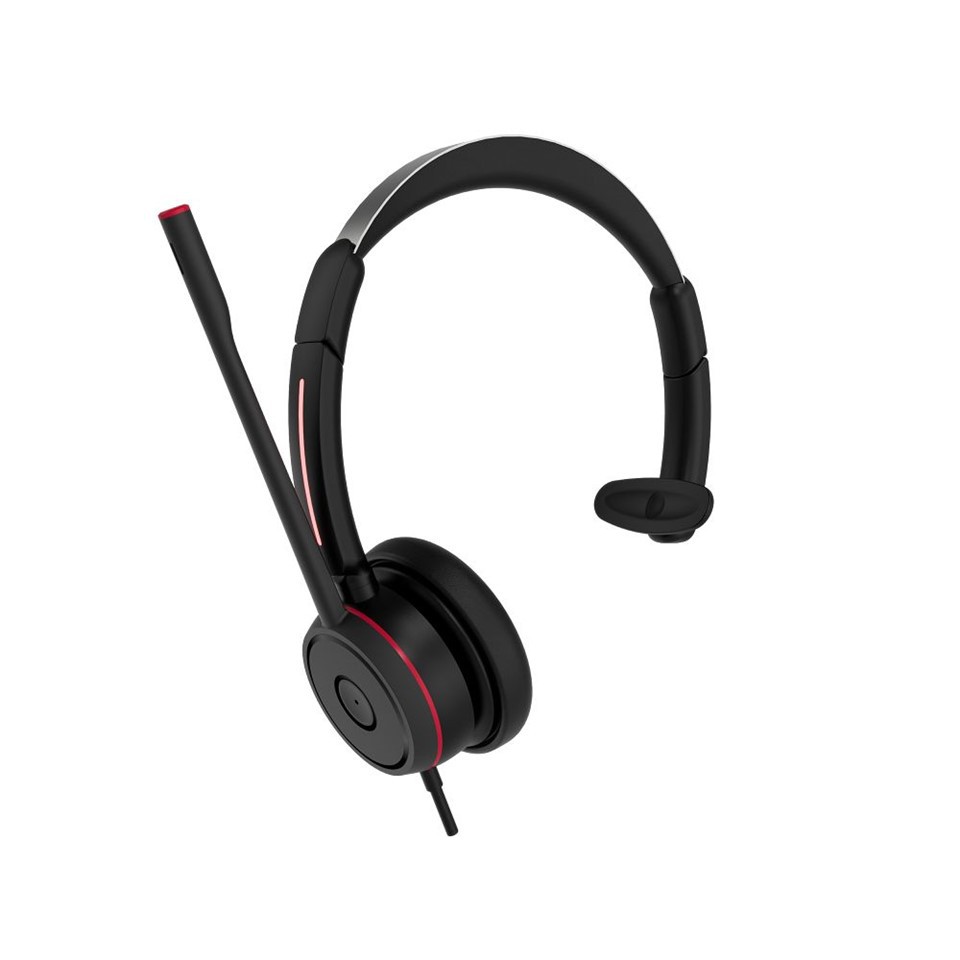
Hey there! If you're here, chances are you've got a Bluetooth headset with a dongle and are not quite sure how to charge it. Well, you're in the right place. I'm not just some random person on the internet talking about this stuff. I'm part of a team that supplies Bluetooth Headset with Dongle Bluetooth Headset with Dongle. So, I've seen my fair share of these headsets and know a thing or two about charging them up.
Understanding Your Bluetooth Headset with Dongle
First things first, let's talk about what a Bluetooth headset with a dongle actually is. The dongle is a small device that plugs into your computer, laptop, or other compatible devices. It acts as a bridge between your headset and the device, allowing them to connect wirelessly.
Our company offers a range of these headsets, like the Dual Ear Wireless Headset with USB Dual Ear Wireless Headset with USB and the Professional Business Bluetooth UC Headset Professional Business Bluetooth UC Headset. These are great for different uses, whether you're working from home, in an office setting, or just want to listen to music on the go.
The Basics of Charging
Charging your Bluetooth headset with a dongle is usually a pretty straightforward process. Most headsets come with a charging cable, which is often a USB cable. You'll typically find a charging port on the headset itself. It might be a small, discreet port, so you might need to look closely.
Once you've located the charging port, plug one end of the USB cable into the headset. The other end can be plugged into a power source. You've got a few options here. You can plug it into a USB port on your computer. This is a convenient option if you're using your computer while the headset is charging. It's also a great way to keep an eye on the charging status if your headset has an indicator light.
Another option is to use a USB wall adapter. You know, those little boxes that you plug into the wall socket and then plug your USB cable into. This is a good choice if you want to charge your headset quickly and don't have access to a computer. It gives you more flexibility in terms of where you can charge your headset.
Checking the Charging Status
Most Bluetooth headsets with dongles have some kind of indicator light to let you know the charging status. When you first plug in the headset to charge, the light might turn red. This usually means that the battery is low and is currently charging.
As the battery starts to fill up, the light might change color. Some headsets have a green light to indicate that the battery is fully charged. Others might have a flashing light that stops flashing when the charge is complete. It's a good idea to check the user manual for your specific headset to know exactly what the different light indicators mean.
Tips for Efficient Charging
Now, let's talk about some tips to make the charging process more efficient. First of all, try to use the original charging cable that came with your headset. Using a different cable might not provide the right amount of power, which could slow down the charging process or even damage the battery.
Also, avoid charging your headset in extreme temperatures. If it's too hot or too cold, it can affect the battery's performance and lifespan. For example, don't leave your headset in a hot car and then try to charge it right away. It's best to let it cool down to a normal temperature first.
If you're not going to use your headset for a long time, it's a good idea to charge it to about 50% and then store it. This helps to keep the battery in good condition.
Troubleshooting Charging Problems
Sometimes, you might run into some problems when trying to charge your Bluetooth headset with a dongle. Here are a few common issues and how to fix them.
The Headset Isn't Charging at All
If your headset isn't charging when you plug it in, the first thing to check is the cable. Make sure it's properly plugged into both the headset and the power source. You can also try using a different cable or power source to see if that solves the problem.
The Charging Light Isn't Working
If the charging light isn't coming on, it could be a problem with the headset itself. Try cleaning the charging port with a soft, dry cloth to remove any dust or debris. If that doesn't work, it might be a more serious issue, and you might need to contact our support team.
The Battery Drains Quickly After Charging
If your headset's battery drains quickly after charging, it could be due to a few things. Maybe you're using the headset at a high volume for a long time, which can drain the battery faster. You can also try resetting the headset to see if that helps. Refer to the user manual for instructions on how to do this.
Why Our Bluetooth Headsets with Dongles are Worth It
Our Bluetooth headsets with dongles are designed with quality and convenience in mind. They offer great sound quality, whether you're making business calls or listening to your favorite tunes. The dongle ensures a stable and reliable connection, so you don't have to worry about interruptions.
With features like long battery life and comfortable earpieces, our headsets are perfect for all-day use. Whether you're in a busy office environment or relaxing at home, our Dual Ear Wireless Headset with USB and Professional Business Bluetooth UC Headset will meet your needs.


Time to Take the Next Step
If you're interested in getting your hands on one of our amazing Bluetooth headsets with dongles, or if you have any questions about charging or anything else, don't hesitate to reach out. We're here to help you make the most of your headset and ensure you have a great experience. Our team is always ready to assist you with any procurement and negotiation needs.
References
- General knowledge of Bluetooth headset technology
- Experience from our company's supply of Bluetooth headsets with dongles